Pay once
No subscription, no adverts, no account or password to remember.
 Linkflux
Open the app
Linkflux
Open the app
Bookmark app · Pay once
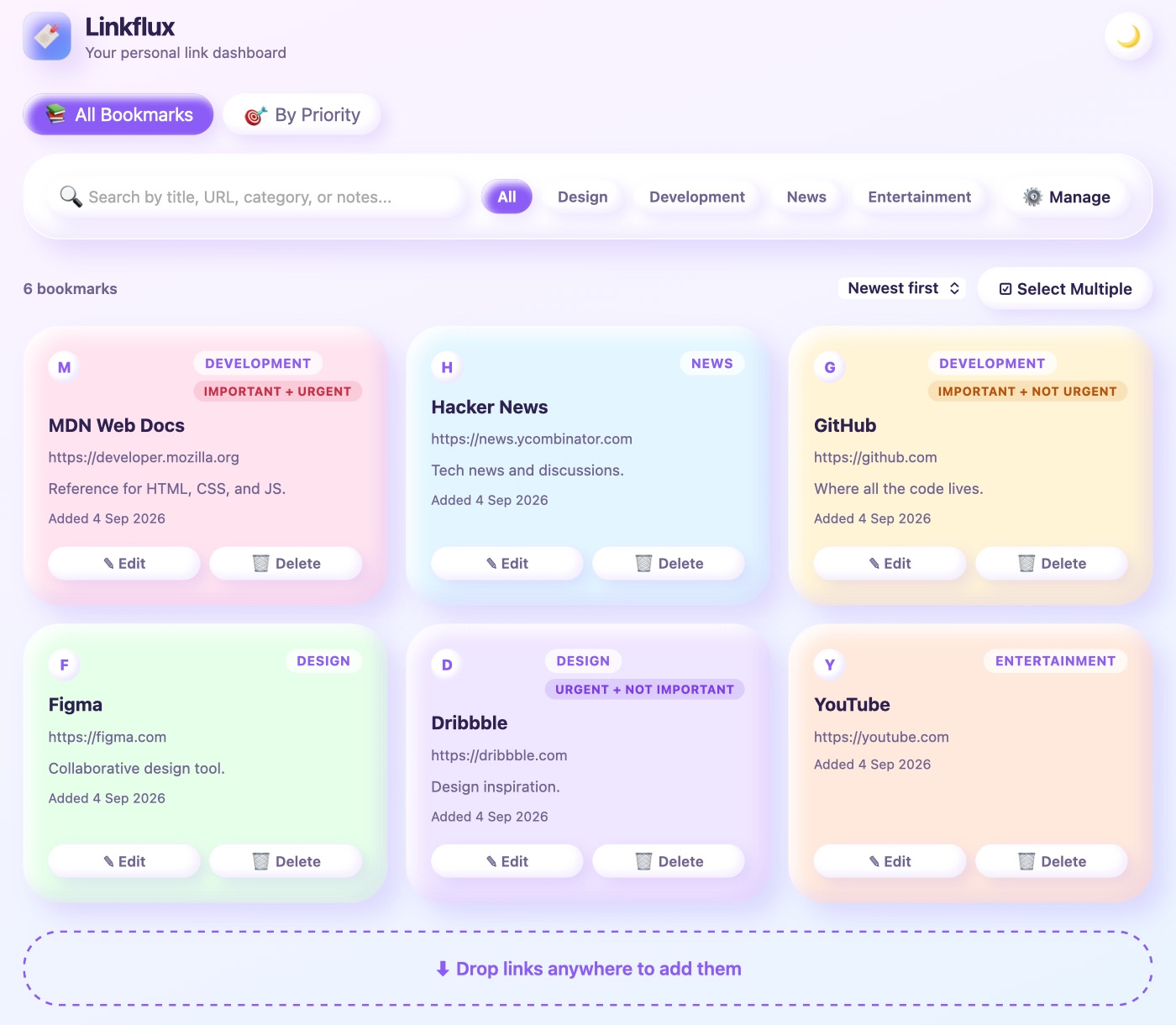
Linkflux keeps every link you save in one tidy, colourful place. Drag links in, group them by category, mark what's important, and find any of them in seconds.
30-day money-back guarantee, no questions asked. Works in any up-to-date browser on Windows, Mac, Linux, Android, iPhone and iPad.
No subscription, no adverts, no account or password to remember.
Your links stay on your own laptop or phone. Nothing is uploaded, and there's no tracking.
Install it like an app. It opens instantly, with or without a connection.
Drop a link from any web page onto Linkflux. Drop several at once and they're added together, duplicates skipped.
Search by title, web address, category or your own notes, and see results as you type.
Group links your way. Pin the categories you use most so they're always one tap away.
Sort links into important and urgent, so what matters today is never buried.
Drag cards into the order you like, with mouse, touch or keyboard. It's remembered next time.
Select many links at once to move them to a category, change their priority or delete them.
Bring in your Chrome, Edge or Brave bookmarks in one go. Your folders become categories.
Save a backup file in a tap and restore it anywhere. On Chrome and Edge, keep a copy on your computer that updates by itself.
Soft, colourful cards in a calm light look, or a dark one for the evening.
Install it on your laptop and on your iPhone or Android home screen. On Android, share any link straight into Linkflux.
A two-minute tour lets you practise on sample links before touching your own, plus a plain-language guide.
On a plane or a poor connection, your links are still there and still searchable.
$9.99₹899
Paid once. No subscription.
30-day money-back guarantee, no questions asked. Email us within 30 days of any payment and we refund it in full.
Secure checkout through Razorpay, by UPI or card. We never see your card or UPI details.card. We never see your card details.
No. Open Linkflux in your browser and choose Install (or Add to Home Screen on iPhone). It then opens like any other app.
Only on the device you use. There's no account and nothing is uploaded. On a laptop with Chrome or Edge, Linkflux can also keep a copy in a file on your computer that updates by itself.
Yes. In Chrome, Edge or Brave, add the free Linkflux Importer and bring them all in with one click. From Firefox or Safari, export your bookmarks to a file and import it. Categories come from your folders.
Yes, on iPhone and Android. On Android you can also share a link straight into Linkflux from any app.
Device Sync is coming soon: $4.99₹299 a year for your 3 devices, with everything locked by a password only you know. Until then, move links between devices with Export and Import.
Nothing is lost. Your links stay on your device and you can still open, search and export all of them. Adding and editing wait until you buy. Whatever you set up during the trial stays as it is.
One licence covers 3 of your own devices, for example your laptop, your phone and a tablet. Changed phone? Remove the old one from the list and add the new one.
Email us within 30 days of any payment, including a Device Sync renewal, and we refund it in full. No questions asked.
No. Linkflux replaces DazzlingDiva Bookmarks, and existing owners can upgrade free with their old licence key. Your saved links come across with Export and Import.
Payment happens on the secure page of Razorpay, our payment provider. Your card or UPI detailscard details go to Razorpay and are never stored by us.
30-day money-back guarantee, no questions asked.